How it works
Smarter gym equipment management starts with a scan.
From your first equipment record to your next repair, RackTag connects members, staff and equipment in one simple platform.
Interactive demo
Try RackTag yourself
See how easy it is to report and manage gym equipment issues. No account or download needed.
Simulation only — example machine, nothing is saved or sent anywhere.
- Scan
- Report
- Dashboard
- Repair
- Done
Step 1 of 5
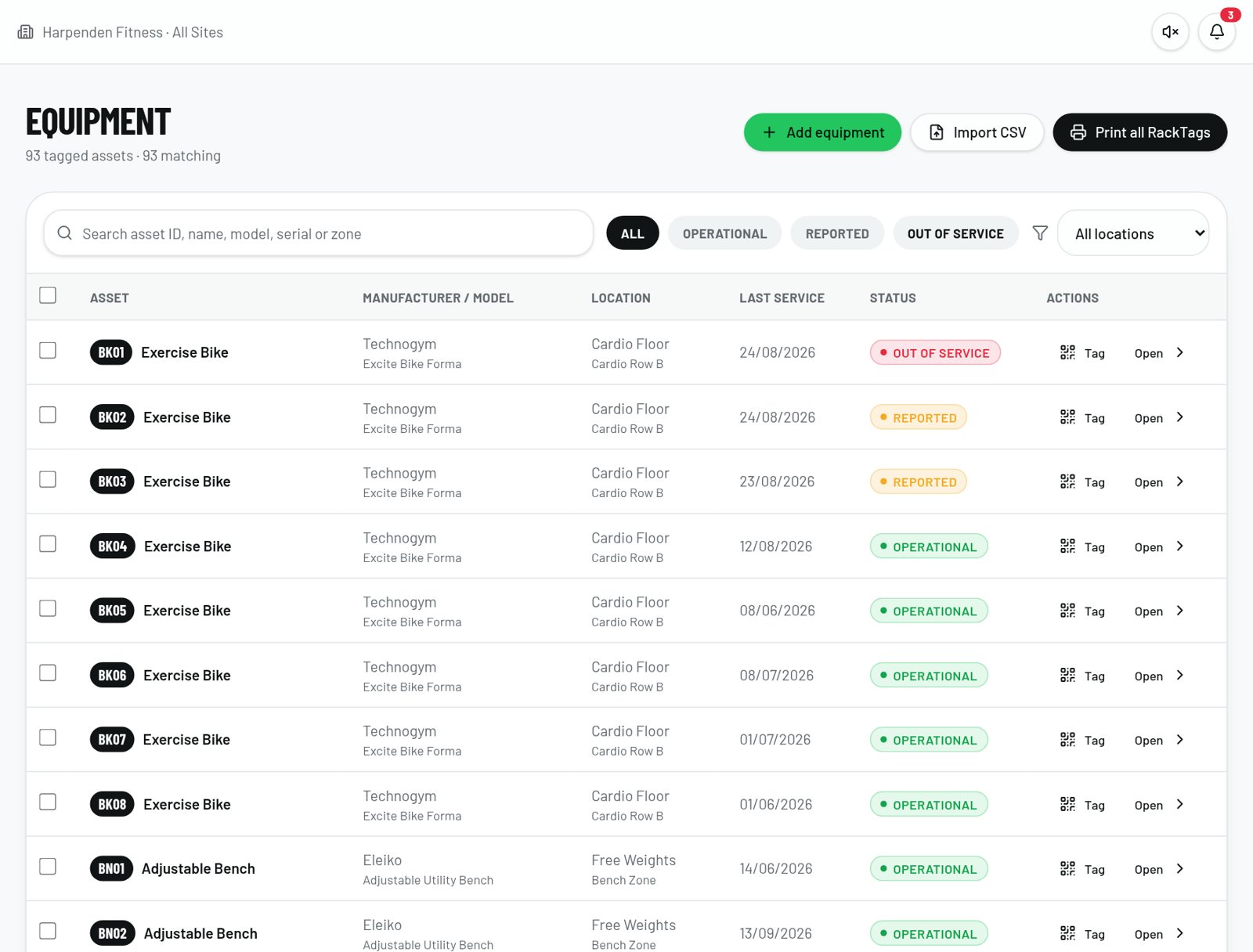
Register your equipment
Build your digital equipment inventory. Add machines one at a time or import your existing list from a spreadsheet. Each machine gets its own record with its details, location and servicing information.
- Manufacturer, model and serial number
- Zone and site location
- Purchase date and asset details
- Service interval and last service date
Step 2 of 5
Attach your RackTags
Every machine gets a physical RackTag with its own unique QR code. The code links that piece of equipment to its record, so every scan and every report is tied to the right machine.
- One unique QR code per machine
- Physical RackTags included with every plan
- Can be printed in your gym’s colours
- QR always black on white so it scans reliably
Something wrong?
Scan to report it
CC04Cable Crossover
Demo gym
The RackTag design, generated live. Sample codes from the demo gym.
Step 3 of 5
Scan it. Report it.
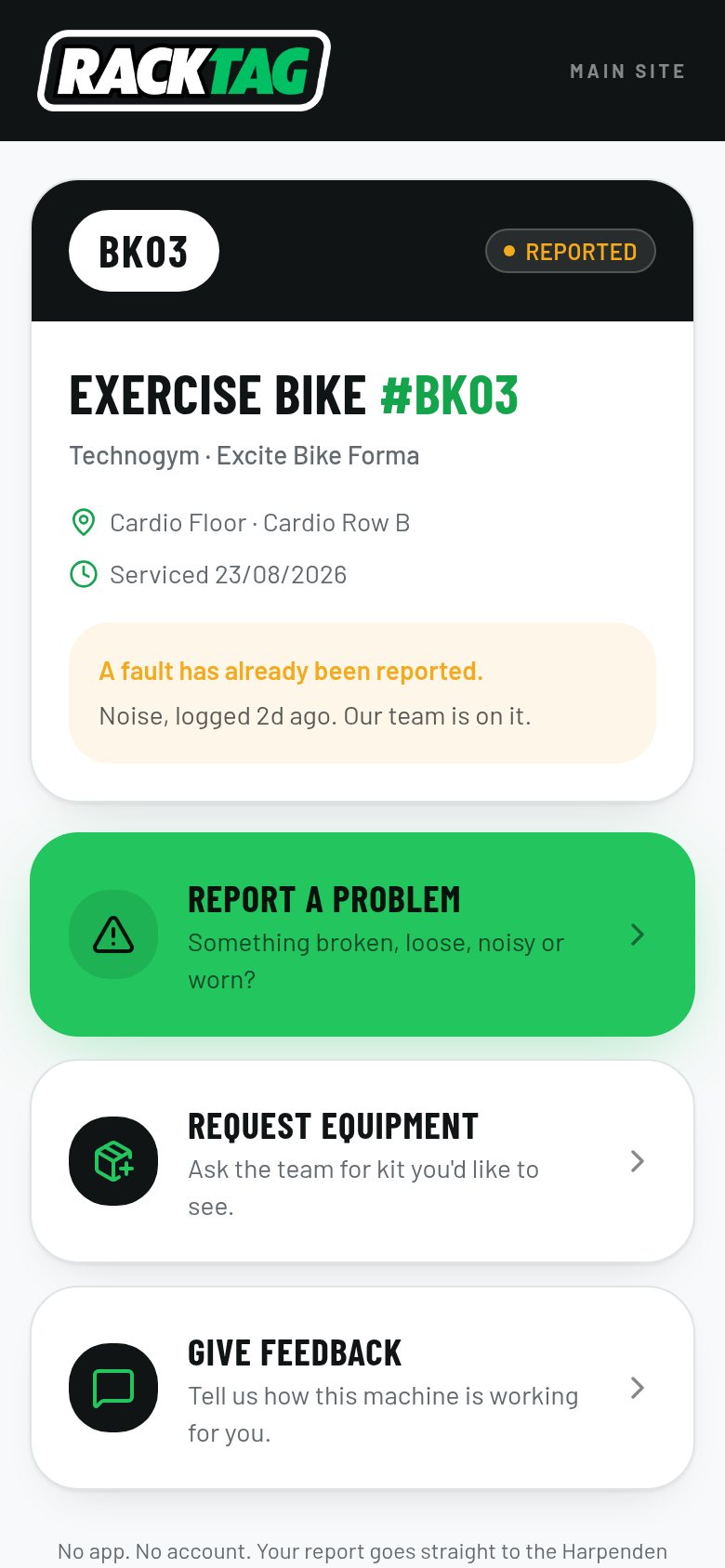
Members point their phone camera at the RackTag and the reporting page opens. They can report a problem, add a photo, request equipment or leave feedback — no app to download and no account to create.
- Works with any phone camera
- Report a problem with an issue type, note and photo
- Members see if a fault is already reported
- Private details like serial numbers and costs stay hidden
Step 4 of 5
Manage repairs & maintenance
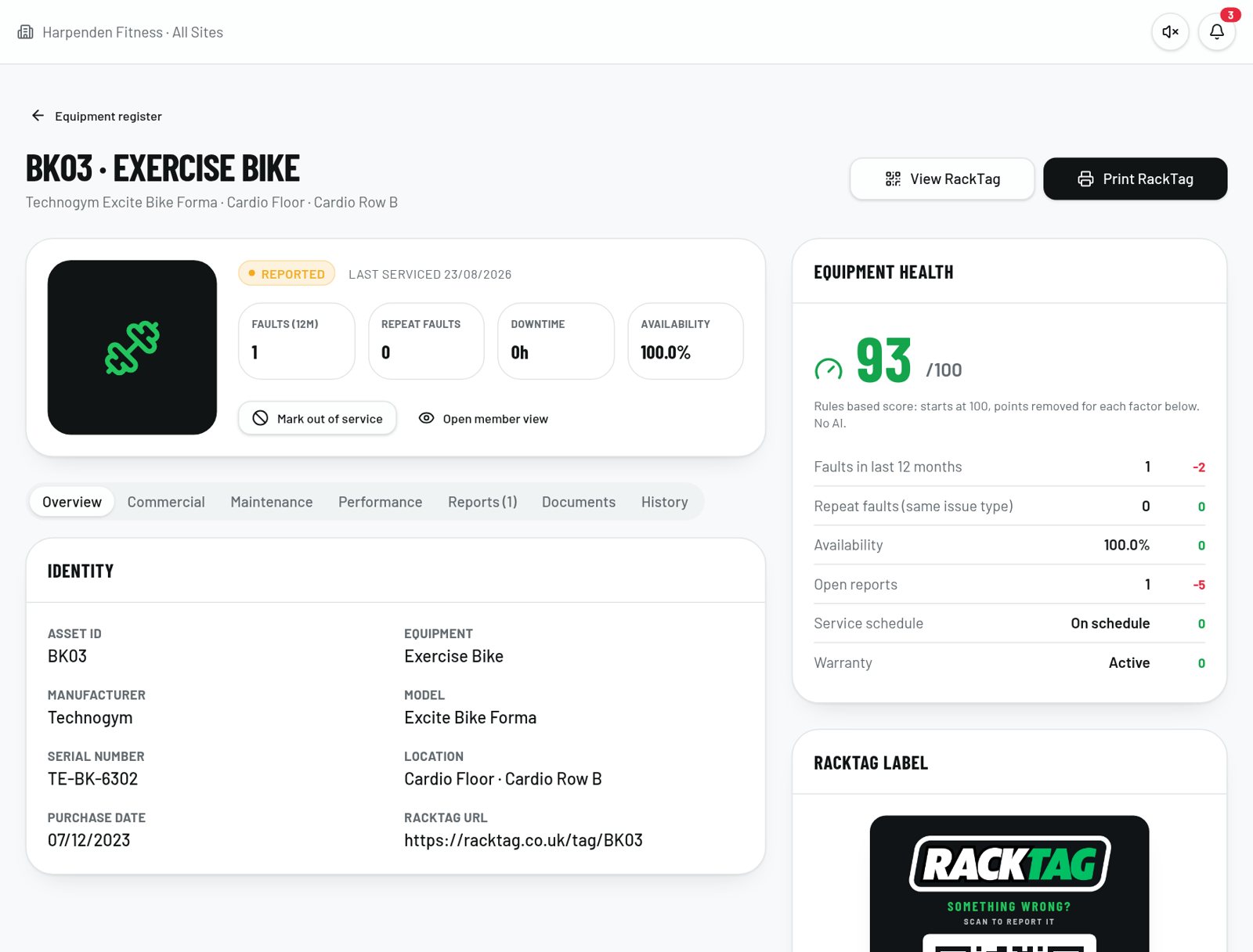
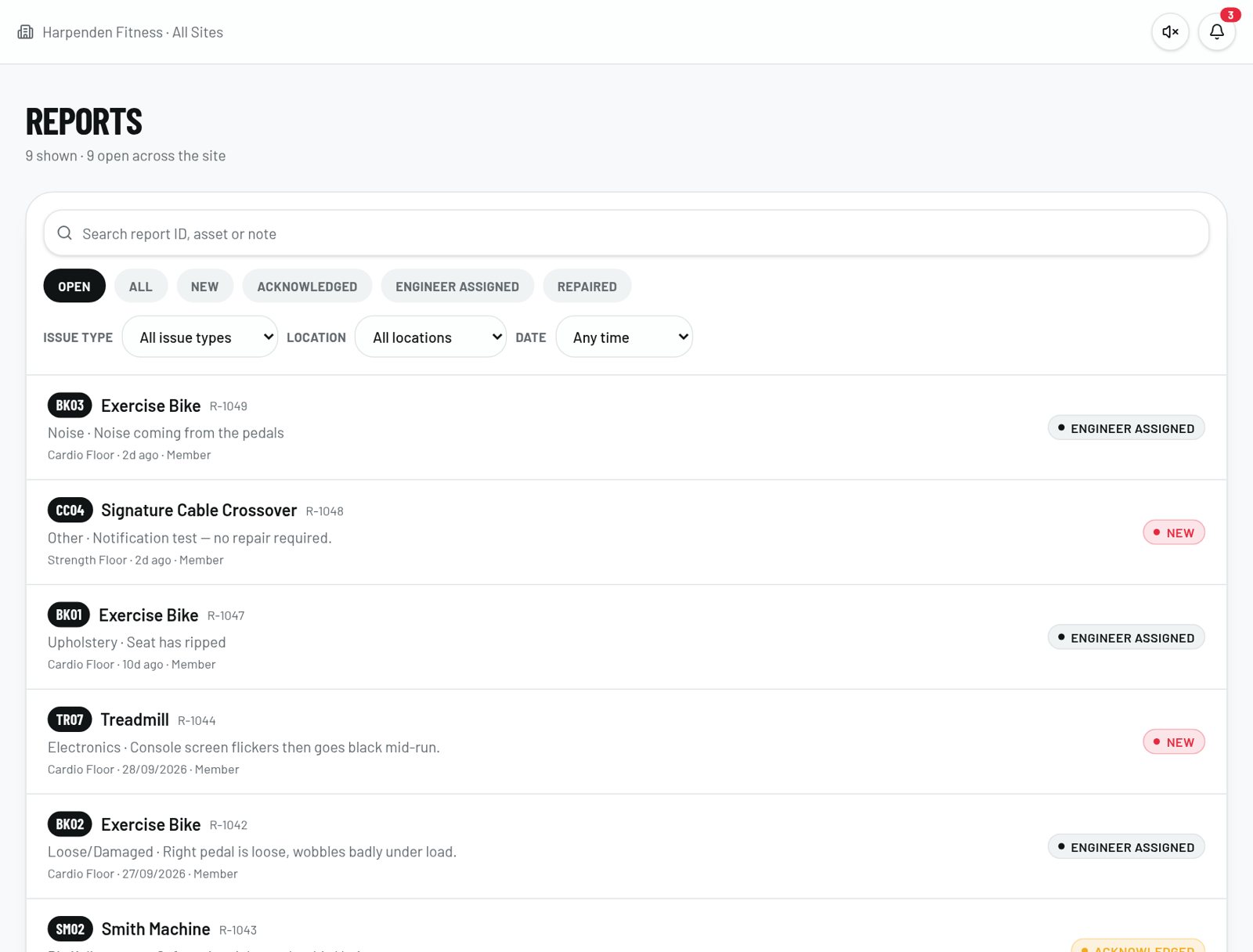
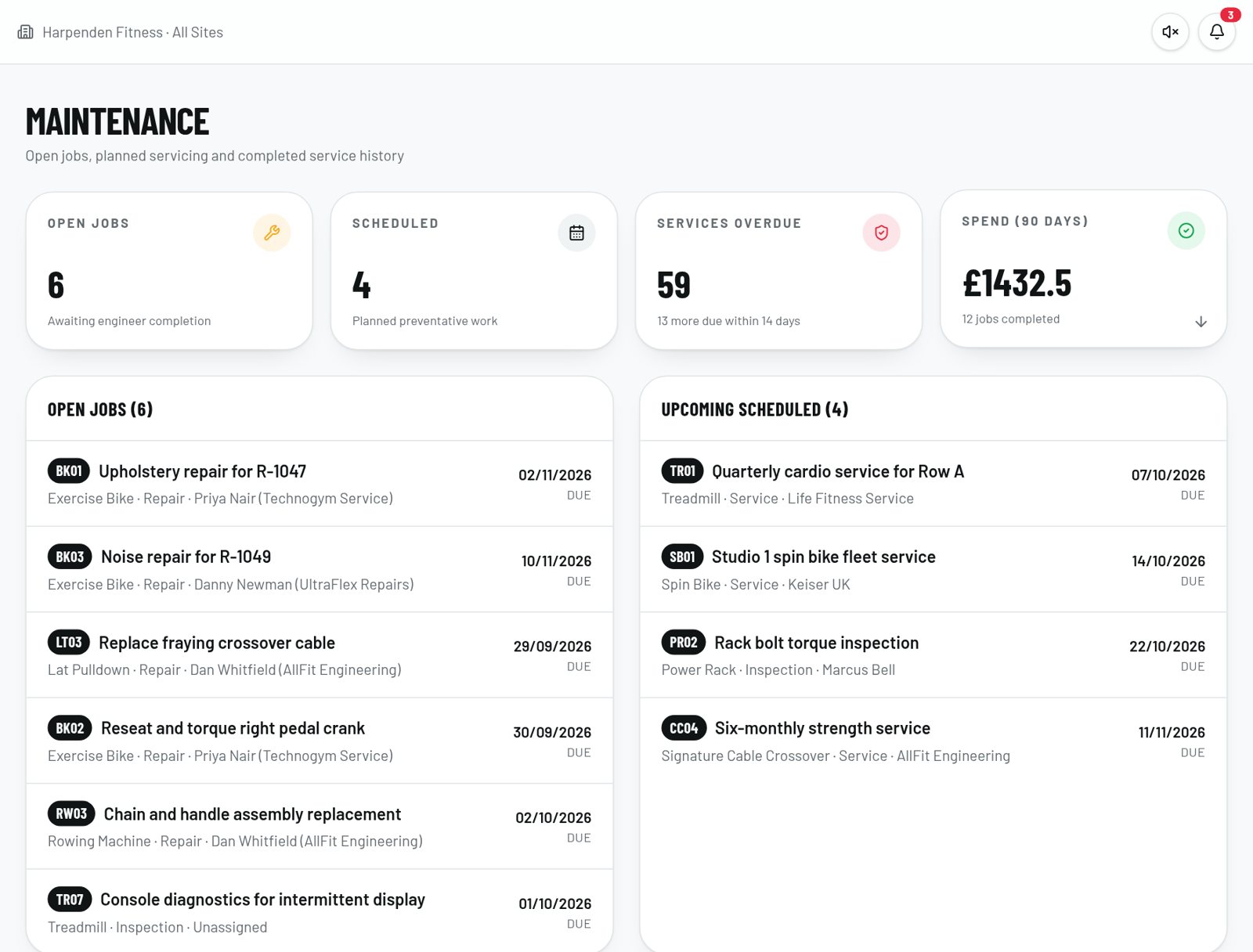
Reports arrive on your staff dashboard straight away. Your team acknowledges them, takes machines out of service if needed, assigns an engineer from your contractor list and records the repair and its cost. Planned servicing sits alongside, so you can see what’s overdue.
- Statuses from New to Repaired
- Assign a contractor and email them the fault details
- Open, scheduled and completed maintenance jobs
- Every repair and service saved to the machine’s history
Step 5 of 5
Get smarter with RackTag Intelligence
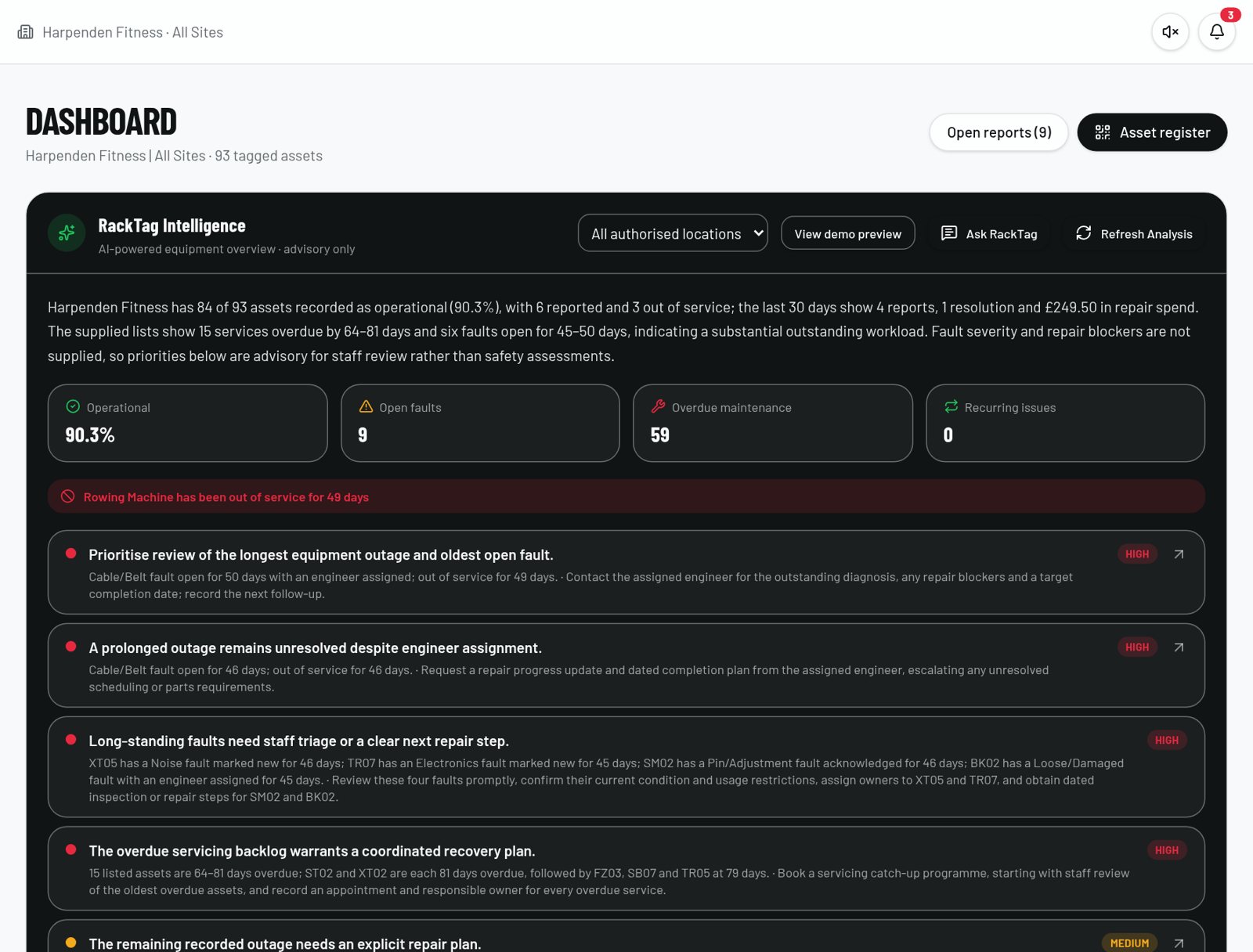
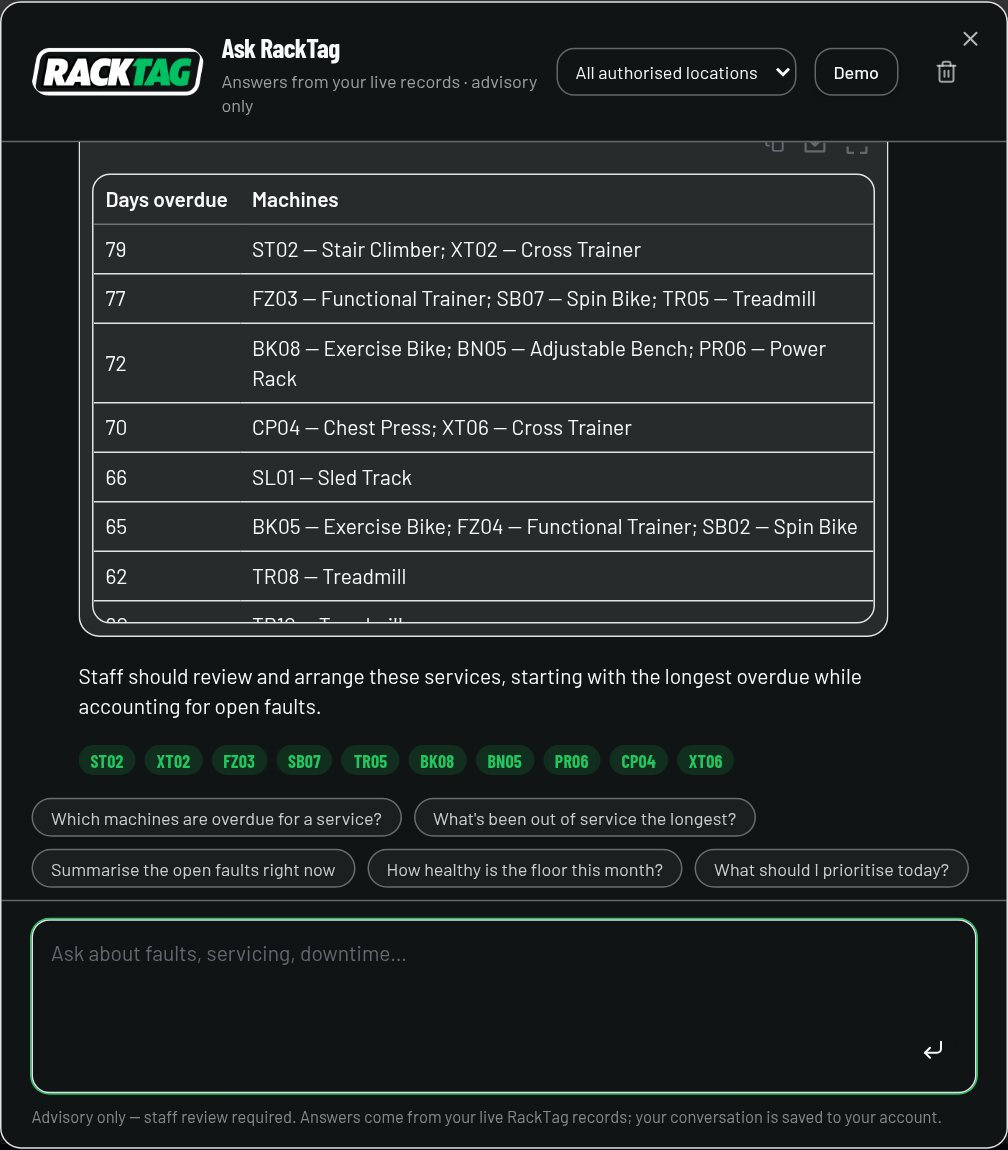
RackTag Intelligence reads the information your gym has recorded — reports, repairs, servicing and downtime — and turns it into a health summary with prioritised actions. Ask RackTag lets you ask questions in plain English, like “Which machines are overdue for a service?”. It is advisory and based only on your records; it doesn’t predict failures.
- Equipment health summary
- Maintenance priorities ranked High, Medium and Low
- Answers that link to the real machines
- Your team stays in charge of every decision
Less admin. Better visibility. Happier members.
Simplified equipment reporting
Members report faults on the spot instead of telling whoever is at reception.
Centralised equipment records
Every machine, its location and its history in one place.
Clearer maintenance tracking
Know what’s been serviced, what’s due and what’s overdue.
Better visibility of outstanding faults
See every open fault and how long it’s been waiting.
Improved coordination of repairs
Assign engineers, send them the details and record the outcome.
Evidence-based equipment insights
Decisions backed by your own reports, repairs and requests.
Want the full list? See every feature or compare plans.
Questions
Ready to take control of your gym equipment?
Discover how RackTag can simplify your equipment management and give your team the visibility they need.